Tag Archives: ZW3D

CAMWorks for Solid Edge misses September

Not much to report here on CW4SE but since I had a guy email me regarding whether or not Wire EDM was in there yet I decided to follow up. As of yet I do not have a seat so my information is coming from another one of the Beta Testers who did buy.

First off, assemblies was promised for sure for September as was EDM but this has not happened as of 11-2-13. Predator Editor is available to SolidWorks buyers but not Solid Edge buyers so as of right now the SE guys are stuck with state of the art Notepad editing for their posts. The Geometric web site for SE users has not changed since basically the SEU2013 event so still no forums and no public face for CW4SE users anywhere I can find. Searching Youtube videos still does not show any new Geometric activities where CW4SE is concerned and the very short list of new stuff is from VAR’s. Siemens, SE and Geometric appear to have pretty much dropped off the face of the Earth since SEU2013 and no one seems to know much about anything amongst my contacts.

I know Geometric is working on their new verification stuff and that they are having problems with Mill Turn and evidently these promises and integration schedules with SE may be taking second place behind these other problems. It would seem to me that rather than putting your new customer off you would get them up to speed first and then worry about these other things but you know sales guys. We promised these new bells and whistles and we don’t have enough talent to do all we promised so lets have a meeting to figure out who gets put off. It looks like SE is the one. I also know that they are looking into working on the TDB and posts but who knows what will happen and when.

To reiterate on the tool library it is a vestige from many years ago and apparently not a concern of Geometrics. Talking to the other beta guy today and it is an irritation to him to. I can understand as there is not one tool in their library that is typical for what my shop uses and the same is true for your shop to I bet. Talking to a guy that does this kind of work he says that even though Geometric is stuck on stupid with the ancient Access data base it is still possible to port SQL data to it and make things like the Milling Advisor from Volumill (if you don’t have this it is a free ap and you need to get it) be fully integrated within CAMWorks. To make things like tool databases from manufacturers be importable. What the deal is, is that this has not been important to Geometric and so it gets stonewalled. I begin to wonder here if Geometric over promised what they were capable of delivering on to Solid Edge and while they have an excellent cam program they also do not have enough programmers now to take care of business.

I read about their stock numbers and their financial audit for last year from India and supposedly they have had 22.7% 2012 to 2013 revenue growth. Who knows if the public face of any company can be trusted today with all the Enron type things that go on but this is their claim.

http://www.google.com/url?sa=t&rct=j&q=&esrc=s&frm=1&source=web&cd=1&cad=rja&ved=0CDsQFjAA&url=http%3A%2F%2Fgeometricglobal.com%2Fwp-content%2Fuploads%2F2007%2F10%2FGeometric_annual_report_2013.pdf&ei=KlF5UuudBJe-sQSlr4H4AQ&usg=AFQjCNH-2UTAWDrO3iyPjSbE6LtGNyTnMQ

So we have 65.10 market share for the US and Europe is 23.89 for a total of 88.99% of all revenue for Geometric. The reason I bring this up is to illustrate something of the stonewalling ignore it until it goes away attitude I think may be the driver behind why some things are not updated or finished with Camworks. I made mention to some of the CAMWorks guys how weird and counterintuitive some of the language chosen to apply to features is. This is important when you have been brought up in a certain way and your mind trained to look at things in a certain fashion. Quick, how many of you US readers can look at 22 degrees C and tell me what it is in F ? It is not that you cant do the math it is because your whole life has been spent looking at temps with farenheit as a reference. I have told the Geometric guys I have spoken to about how weird is it that a pocket can be an open slot or an island is a boss. Why not change it to something more user friendly for the vast majority of your customers? Something that works with the mindset and logic of your customers? These kinds of things make programs a lot easier to learn for the vast majority of users.

Well, we would have to do that for everyone and their languages to and that is just to tough. No not really. I think it is safe to say that English is the language of the US and Canada and over in Europe for England and a strong prevalent secondary language for the continent. Needless to say English is also widely spoken in India too. So this now becomes we don’t want to change the language for what, 75% of our users. Is it unfair to assume this kind of number? I don’t think so and I consider this when I look at progress in other areas. It becomes a sort of litmus test for me for the real intent of a company which in this case is Geometric. I am coming to the conclusion that they will leave rough edges if they can get away with it and that this is with intent.

If the Geometric Financial report is real we know they have the money to do this right. What remains is to see if they will manifest the actions to make it right. It seems to be something that most software companies do sadly. Make grand promises and then back off, delay, work on the new window dressings over the old legacy problems and the rest of the things that gripe the hell out of paying customers. We have been well trained over the years to subject ourselves to buggy incomplete software at large dollar amounts. We have been trained to be resigned to things our own customers would flat out not pay us for until we made it right.

In all honesty I am wondering about Geometrics will to make the CAM side of CW4SE as good as the CAD side is. I have gotten spoiled by SE because they have and do take seriously their customers needs and complaints. You Geometric guys have your foot in the door of the SE user’s market first and I think over time this will/could/should be a very good thing for you. If you don’t screw it up. Remember, you were the first for SW too but you certainly weren’t the last and you lost market share there to people like HSMWorks because your program did not dedicate itself to being nearly as user friendly. HSMWorks is not technically as powerful but out of the box without days of fiddling around for the average shop which does not go for full feature recognition integration with a customized Tech Data Base it is quicker and easier to get a program out to the mill by far. This is why HSMWorks ate into your market share there. I have to tell you that time is money by the way and this is a consideration your potential customers made over on the SolidWorks side of the equation and one we SE users will make to when the chance arises. Get on the ball and make it right.

Don’t screw this up Geometric.
Industrial Psycholgy 101, Camworks for Solid Edge-SolidWorks and Solid Edge

I am going to try to make a point here to these two mentioned software authors but in truth it applies to every program out there in some way. Why are simple things left not done because, well because I don’t know. It baffles me why the authors deliberately leave these loose edges for every user to have to deal with.

Here is an example from SE. Now this is being worked on finally but there is a principle here I am going to touch on. Why oh why have users been told from day one until now that if you don’t like the thread data here is where the text file is and you go edit it? We who write these programs and do not have to make things with these programs see no reason for you to get accurate manufacturing data from us on threads when after all you can do it yourselves appears to be the principle here to users. After 20 versions of SE and six versions of SE ST the data for threaded holes is finally right but threaded shafts are not. Now let me explain something here. It is not that we users can’t change this on our own. It is that we resent this having to be done at all. So the answer for many of us, and you may not understand this at all but none the less it is true, is to get mad for years over this and post notes on our drawings that can and do get messed up. Our answer is not to go in there and do your job for you but rather to resent this every time we send money in or work on an effected file. Looking into my own mind and assuming this is a typical response my choice, irrational to you guys or not, is to get mad. We EXPECT these simple basic things to be right for the money we pay. We do NOT expect to be told that our time has so little value in your eyes that each and every user has to make these edits on our own. How about we have hired you guys to do this right and you need to put your intern on this. Here is the equation to keep in mind. One guy x hours is what we pay for and not 50,000+ users x hours. Kinda get my drift here and see why users resent this stuff? This one has popped up at the BBS periodically so I know others feel this way.

Here is one from CAMWorks for SE and I understand SW. It is the pitiful tool library that was put in the program from day one and NEVER updated. The difference here though is that users are forced into correcting this because the program will not work right without you doing do. So once again lets look at the human equation of one guy x hours is what we pay for and not ???,????+ users x hours. When I finally get my seat I will have to add one by one every tool I use in there. There is not one 135% split point bit in there. There is not one type of coated carbide endmill in there. There is not one three flute endmill in there. There is not one five flute endmill in there until you get to .75″ and above. So here we have Volumill as an important part of CW4SE and SW and there is not one thing in the TDB that reflects that this program is even there. The answer is, that is the lazy programmer and software authors answer is, well we know you will need to set this up to reflect your unique and individual needs. So here I am, a user and the first thing I am expected to do is create a tool database to work from. We are each and every one of us expected to manually addin everything we use. You can’t import a data base here by the way is my understanding so it is one by one. Now I get that proffered cop-out that well we can’t tailor make this for everyone and everything. I understand evasion of responsibility to give your customer a better out of the box experience because you are to lazy or cheap to do so. How ever, you do understand someone will have to do it and who does it as long as it is not YOU is fine with YOU. This is something that will offend every looker or buyer. No it is not a show stopper but it is a major days long irritant that we users all will have to suffer under. A three axis mill package with lathe and Volumill is north of $15,000.00. Buyers expect these things to be taken care of up front and if you think it does not aggravate us, think again. It is expected that there should be a decent and complete tool library. See Surfcam’s tool library for a great example. Gosh looky you mean it can be done? Yup it sure can Ethel. We can fine tune things from there. The whole idea of feature recognition with CW is powerful. And it would be far more immediately powerful with a real tool library. I bet your demo guys would sell more to if this was in there by the way. Instead you say here it is and it is great and after a couple of days of work your tools will be ready to be a part of this. And don’t ask me what I think of the procedure to add these tools in by unless you want an earful.

Part and parcel of customer satisfaction is the implementation of practical databases and libraries that reflect what we all have to deal with. When a customer starts to dig into the program these things are expected as a part of the purchase. Useable information to be incorporated into whatever we are doing with minimal input from our ends. These things are cumulative and if there are enough of these irritants it results in alienating potential customers and in aggregate perhaps eventually running off existing customers when they find a program that does care about these things and does the rest to.

OK you industrial psychologists, you want to make more sales and happier customers don’t look exclusively to tabs and layouts on tool bars or ribbon bars. Don’t limit yourselves to vernacular and syntax. Find out some of these simple but egregious things in our eyes and measure user satisfaction incorporating this to. A powerful sales tool, at least it would be to me if I was looking, would be how complete the implementation of your program is to immediately produce trouble and hitch free workdays. In this day of the internet you can run but you can’t hide this stuff from people any more.

SolidWorks, Direct editing and Data Hostages

Over the last week I have had an opportunity to see exactly what SW has when they talk about direct editing. Really the claims made for direct editing capabilities have been there for some time but I never thought to go and hunt down specific examples that included screen captures of actual parts being worked on. Silly is it not? I know the power of the web to find information but sometimes it seems I get a mental block about using tools right at hand to verify comments, claims and opinions. This led me this morning to go further than just looking for videos of actual parts being edited and into the reality of SW’s failure to have more than the most crude and rudimentary form of direct editing known as move face. It appears their only answer seems to be Catia Lite. So, What do I base this on.

Bertrand Sicot, CEO of SW whose opinion and comments might be better informed than most about what is going on over there had this to say in September. This is not ancient history nor can it be misconstrued. It is their road map and you don’t have to like it. Embrace the new
http://www.engineering.com/DesignSoftware/DesignSoftwareArticles/ArticleID/6283/Solidworks-2014-shows-CAD-Evolution-not-revolution.aspx

And I quote,
“Direct Modeling

Direct modeling allows a digital connection from concept to detail design by paramaterizing the model after the initial design. While other CAD vendors have either purchased or developed their own direct modelers, Solidworks has remained the lone holdout.

Last January the company announced that it was working on a product called “Mechanical Conceptual” that would support concept design. Solidworks now has 10 customers using Mechanical Conceptual and plans to make the product generally available in January 2014. According to Bertrand Sicot, when Mechanical Conceptual is released users will be able to create concept geometry and then fluidly pass that into the Solidworks detail design environment and back.”

Ha-Ha, when it is released. Originally scheduled for release about the time Sicot made this speech it has been pushed back until next year now. It appears to be following the same development path as so many other Dassault SW related attempts these last few years where if something actually even makes it out of the door it is flawed and problematical. DAVE, how can you say that about Mech-Con? (well I liked the abbreviated title an industry analyst gave this program even if you don’t 😉 ) Based upon the sterling achievements these Dassault guys have had these last few years with all the SW stuff they have tried and failed at do you honestly think things are OK with Mech-Con? Kernal translation joy I suspect. There is a reason so much of the Dassault stuff is kind of Freudian and I bet CGM really is turning out to be Concentrated Geometric Masochism in Mech-Con. Of course all this idle conjecture and these evil aspersions could be swiftly ended by Dassault actually doing something right for once. I still think Dassault may be seeing bigger dollar signs outside of pure cad creation and may be trying to figure out a way to make money out of “socializing” their users. I don’t mean the worthless Obama commie stuff but I mean it in the Google and Face Book sense of the word. It seems to be all about the cloud and 3D Experience and design by committees of hundreds over the web. No problems there Eh?

I want you readers to try a test here to ascertain the interest of Dassault giving you this tool of direct editing. Google “Solidworks Direct modeling” 681,000 hits and when you dig into some of them a bunch are talking negatively about it, as in SW users. SE has 3,150,000 hits on this topic and of course most are discussions and not demos but dig in there a bit and see the topical contrasts. And note that according to SW they have four times the subscribers. Now Google SE and SW with “direct editing”. 53,900 for Mega Number#1 SW and 1,600,000 for SE. Now try the same searches adding Video to the string and we get things like 1,660,000 for SE and 470,000 for SW. Now obviously a bunch of these are not actual videos and indeed in any of these categories I am asking you to type in the majority are not strictly what we asked for. BUT you can go through these and get an accurate picture of where these two companies stand on their opinions of the usefulness of direct editing, their commitment to bringing useful tools to users, (and yes I consider any company that does not have more than the most crude forms of direct editing is leaving the most single powerful productivity tool now out there from their paying customers) and the response from actual users where the rubber hits the road.

You need to look at a real version of direct editing before you dismiss it as the powerful tool it is. I believe with my own out-of-pocket money that you can’t beat Solid Edge and ST. I believe in it enough that I spend my own time and dime talking about it and let me assure you I don’t get one thin dime in any way from Siemens or SE. I have to pay my way at the Universities,buy my blog site and the computers I use, buy my software and if I am late like I am this year on renewal they graciously charge me interest on top of the yearly fee. (Then these same guys turn around and want me to help sell seats for them 😦 Quite frankly they make me mad sometimes but I have to remind myself that I started doing this because I wanted to and that reason is still valid.) But I think that in the community of all cad users once you get past the fanbois stuff if you are going to be an advocate you ought to at least have a good reason besides being a zealot. I talk about SE because it interests me as software and because I honestly believe it is the best value and most useful MCAD tool out there. The guy that talked me into SE ST saved me a ton of money and time over the years and maybe I can pass that on to you. I know I appreciated it. This little journey into the world of SW and move face has been an eye opener. I know I spend my own money and so do you, or your company does. I know I hate getting bad information that I will later be spending my time and money on. This is precisely why I am here with SE and Siemens. There is a proven track record of doing what they say they are going to do and bringing the single most powerful tool in the design world to you, ST. I get a chuckle out of those bemoaning old kernals when I think well yeah, some people can do new things with proven “old” technology and others can’t.

So what really is left for SW users. Three things I believe. They get to work with a design program that is quite capable but is quickly falling behind the productivity advances being made elsewhere. It is still the largest single user base with the not insignificant benefits that can bring. And finally they are data hostages whom Dassault hopes will have to stay because the perceived grief of changing will be too onerous. I see only one compelling reason here in market share and it is going to diminish. In the mean time I am bringing in your MCAD files and doing things quicker than you can with your own created data. Is there something wrong with this picture?

I believe, and so does Dassault because they tell you so if you care to listen like Sicot did in September, that you SW users are in for turmoil and forced change anyway. I think it is patronizing corporate-speak when these Dassault guys tell you your beloved SW will not change. You are soon not going to get the choice of continuing on as you have been accustomed to with your old familiar tools unless you drop maintenance and stay with a particular version. That has a price tag to and you all know this. Or you can make a rational decision to pick the change you are going to be inevitably forced into. You don’t have to like it but you WILL have to deal with it. I think of all the programs out there switching to SE is more painless than anything else and I am betting far less painfull than the migration from SW to Catia Lite will be. Change brought to you by Parisians that have forgotten what made SW great or change brought to you by SE with stable planning with attention to what users want with far more productivity.

Solid Edge ST6 VS SolidWorks Direct Editing and some Observations

I have been corresponding with an SW user and he has some very interesting comments to make at times. One of the things he presents is the idea that move face in SW is basically as powerful as direct editing is in SE, or Synchronous Tech for you purists who are not happy with ST 😉 . So he sent me some video links from Youtube and one in particular caught my attention.Now I assume that if you are trying to augment your position for or against that you are going to make an effort to find something that will buttress your positition. So I am using one of the video clip links sent to me as an example of parts done in Move Face in SW

I recently posted on “Editing Around a Pattern” and his contention was that it was as easy to do in SW to. One of the things I mentioned to him was the fact that the file size basically does not grow or change with edits in ST and does not create ever expanding file sizes and complexities that can blow up on you later. The edit I did in my post for instance went from 911KB to 956KB for the first edit. Then reversing that took it to 954KB and reversing that again took it to 957KB and nothing was added to the “History” or Path Finder on this part. I presume I could do this a hundred times and it will stay in this range and back and forth two times each was good enough for me to make this assumption. No size baggage and no added complexities.

So a couple of days pass and I go to see the video links and I decided after looking at the one shown above I would show how I do it in ST6. At this time I will be doing the paper tray and the bracket and perhaps the “Desk Tidy” will be in the future. I want to point out the growth in the complexity and size of the history trees that happen with parametric history based modeling and what I have to believe is the ever growing size of these files and I assume the potential for trouble. I can see the history tree in the video and it is ever growing. Now one of the really nice things about ST is that if what you are doing works it will always work again. If SE accepts what you do and it shows up in the feature tree, or Pathfinder as it is labeled in SE, it is stable and will not blow up. In my experience it either works or it does not and I never have dependencies in the ST Pathfinder that will do the atom bomb thing on my part. I will say though that once a week or so for reasons I don’t understand SE does not like what I do and it tells you that it is quitting now and your data after your last save is lost. Of course auto-save stops this from ever being a serious headache. Now here is a caution about auto-save and SE and this one has tripped me up a few times. In ZW3D I can step back past a save and go into edits before the save. There is a cache in there that allows this until it is cleaned out when you shut the program down. In SE when you save you don’t ever get to go back past that point. Now maybe there is something that will allow you to do this but I have not found it. Where this comes into play primarily for me is when I am experimenting on a part to find the best way to do what I want. These are the times when SE decides to shut down and so I am left with the choice of save and don’t get to re-play the part or don’t save and perhaps lose the part.

My parts were done in ST6, exported as IGES and then brought back in to ST6. A cautionary note here about imports and this applies to STP and IGES files. I round tripped this Paper Tray in parasolids and the edits worked fine as is. When I did the same in IGES to keep as close to the SW example in the video it did not work. The practice the SW user used in geometry inspection is a good habit to get into. the equivalent here in SE is under the “Inspection” Tab and is labeled “Optimize”. In the case of this paper tray part “Optimize” corrected whatever was holding up the ST edits and it worked flawlessly after that. There will be three videos on editing imported files. There will also be one working directly as a native file. In some important ways in history based modeling it is cheating when you work on an imported file. In the native file you have in parametric history based stuff dependencies and ever growing complexities that can and do often cause trouble and doing a round trip is a way of trying to get away from those problems. I think you who are not familiar with ST will be fascinated with what can be done and how little files sizes and feature counts change here with edits.

Join me as I show how this user does this in SE ST6.

Editing Around a Pattern, Solid Edge for Manufacturing

This one is for you 3D. Let us try a little more complicated edit which SE breezes through.

Here we have a “Magazine” that feeds capsules into a machine that will fill them.

complete magazine

There are feed problems with the original factory parts and we are changing the end of the magazine assembly to a rounded instead of angled feed end. While doing so and being in a hurry and having three different change requests thrown at me I see a .02″ offset that could conceivably hang a capsule up. Now I think the chances are really slim this would happen but we are going to eliminate this. Now as you look at this part remember that both ends could have been just as complicated and the edit would work in the same exact fashion so this is not a situation where I am fudging things by leaving the XYZ zero point on a simple set of corner faces. It is just how this part is made and since it is a real world part how it is going to stay.

Magazine close up

Now keep in mind as you work in Synchronous the direction you assign to dimensions is important and good habits here will save you trouble later. I assign (lock down) directions where ever possible radiating out from my X Y Z zero point. I also assign the right rear top corner of the part whenever possible ( or the imaginary corner of the block of stock this will be cut out of if there is a corner round or radius at that point. ) as XYZ zero because someone will have to make this thing and you might as well anticipate how they will have to set up to cut it. One of the BIG things to remember here is to check and see that you have as few dimensions as possible to make the part work. You will find that there is a tendency to apply a dimension twice to the same feature as you work without realizing you did so. For example it is easier than you think to have a block and assign a “z” dimension twice to different corners because you did not quickly see the first one. One of the two can cause you problems especially if they are directed to be locked down for different relationships. So look twice and clean these things up or better yet learn not to do it. When you are working with faces and features that can interrelate you can cause problems that can be solved but may take extra trouble to do so. If you want certain behavior to happen just turning live rules off to complete your edit can defeat this and though it is the quick and easy answer to almost all problems caused by dimensions you want to learn to work with rules when you need to have predictable behavior in selected features. Holes constrained as a set for instance where you don’t want to have to pick each feature for an edit but would rather just click once and edit.

Let’s edit this part.

Cookie Dough Die Round to Ellipse, Solid Edge for Manufacturing

Here we have a part that failed to produce like the customer wanted. Using a similar die for testing the deposit was elliptical in shape and the deposit needed to be round as in round cookies. The solution was to redesign the die and create elliptical cavities that would yield round deposits and send the customer a screen capture and drawing for approval. So follow me as I edit this part. I have to admit that I can barely remember how clunky life was in a pure history based world and man what a difference.

Now I thought this would be a CAMWorks post too but my temp license ran out. My first time updating this file there worked and did so flawlessly updating ALL the changed geometry and tool paths with a couple of mouse clicks. Sad to say as I redid this video it never worked again so blame the license gremlins. It was nice to sit here tonight though and edit this part with ST and then step over to CW4SE and do an update and it all went so quickly.

You know what? Time IS money and I can’t fathom wanting to work any other way ever again.

Join with me as I edit this part.

CAMWorks Handbook 2013

We all look for information that can be used to our benefit and of course I have been searching for info on CAMWorks for Solid Edge (CW4SE). There is not a whole lot of information out there yet and looking through YouTube videos and online searching does not reveal much. Geometric was supposed to be looking into a forum for CW4SE users but as of today no forum and darned few videos either. They are falling down on the job here sad to say. There is a lot of similarity between CW4SE and CW for Brand X though. It is my hope that Geometric would open up the CW4BX (Camworks for Brand X 😉 ) forum to CW4SE users though. I understand that they may not want us posting over there but the CAM problems that those guys run into will be the ones we will also run into I would think. I have asked that they open it up for us to be read only but no reply to that idea as of today.

As an aside here and speaking of forums and the Siemens BBS. I wonder if any of the mucky mucks in PR and Marketing have noticed that the guys that don’t wear suits, that be you SE users by the way, also have the largest number of posts BY FAR in SE Misc over any other category. Perhaps the SE guys should be dictating what goes on there since clearly the SE users are the most active. Perhaps the lack of starch and suit jackets in our haberdashery and attitudes just might be a good thing for the whole BBS and Community sites to embrace if they want lots of readers. Just a thought and this thought not approved by PLM World, Darth Vader nor the masters of the straitjacketed public face of Siemens. In addition here is a link that is up to 52,000+ views as of today that ought to be making these straitjacket guys rethink their isolation from the real world. I wonder just how prolific the sales of SE really would be if the corporate marketing and PR roadblocks to success were removed?

In the mean time let me get back on track here and ask you where do you go when it is after hours and you want a question answered? The best solution I have found is the “CAMWorks Handbook 2013” by Michael Buchli and here is the web link http://shop.camworksguide.com/

This PDF also comes with 80 minutes of video and of course when you are banging your head on the desk at 10:00PM or on the weekend and wondering how to do your part tech support is not available. Not that any of us ever find ourselves working past 3:30 in the afternoon and never on weekends of course. $49.95 gets help on your way and I have bought it and I consider it the best single resource I have found yet for CW4SE. You SolidWorks Camworks users should also look into this and for the price how can you lose?

Solid Edge for Manufacturing, Old Insulator Stack

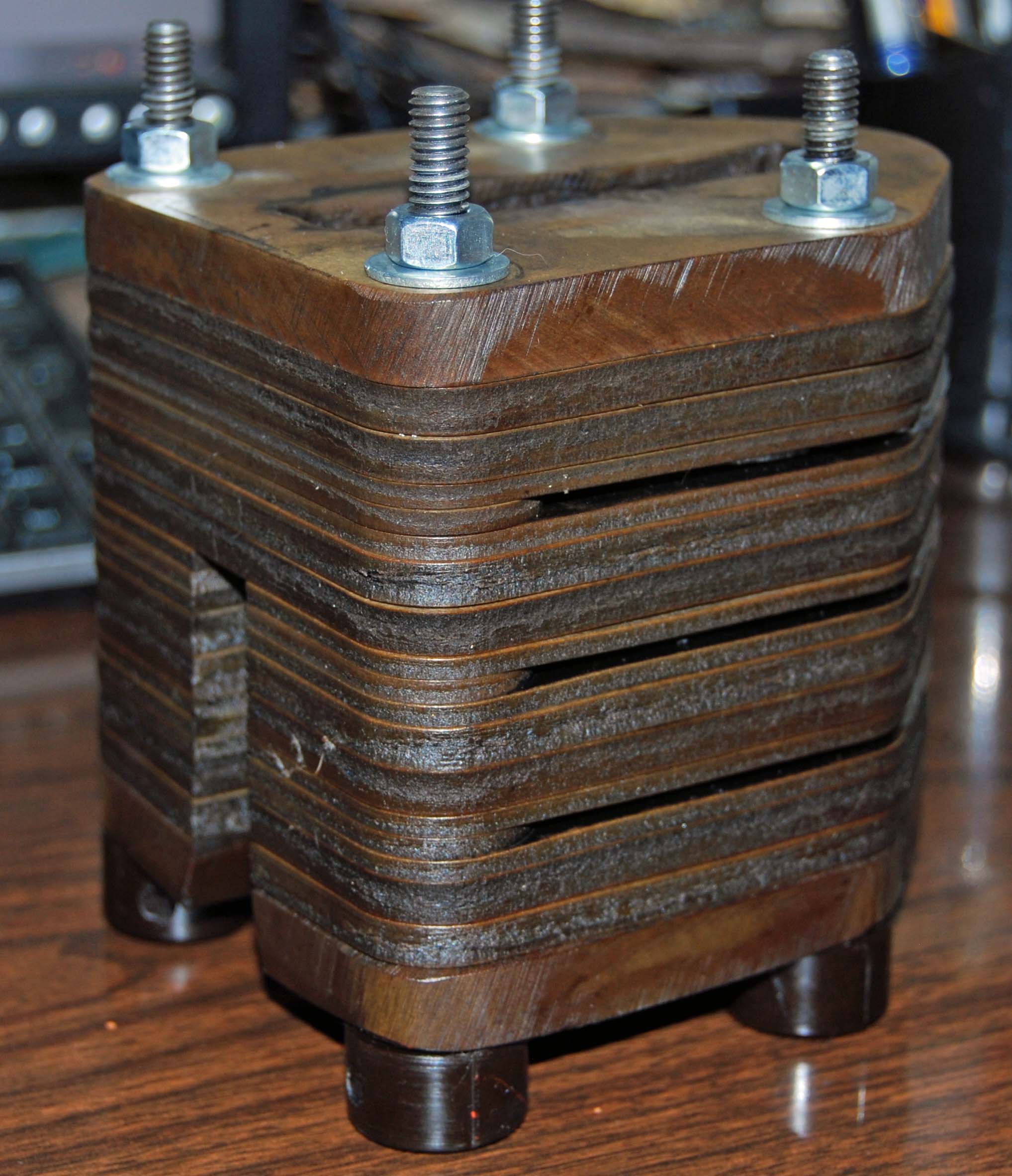
Here is an obsolete Westinghouse part that still is in service with electric utilities that needs to be replaced. As is typical with many of these obsolete parts there is no blueprint or file provided so I have to have a physical sample to measure from. This one had a lot of small variances as you can imagine both from manufacturing tolerances which were generous and spark erosion on the inside from use. I use a Gold Faroarm to reverse engineer things like this. In general you can tell what the intent was with the old parts and keeping in mind that simple numbers like fractions were used in many cases on old parts you can interpolate from your collected data and arrive at an accurate and useful part.
Westinghouse Insulator Stack

In this case there were ten different parts in the stack and I will be able to use one jig to cut nine of them.
Westinghouse exploded

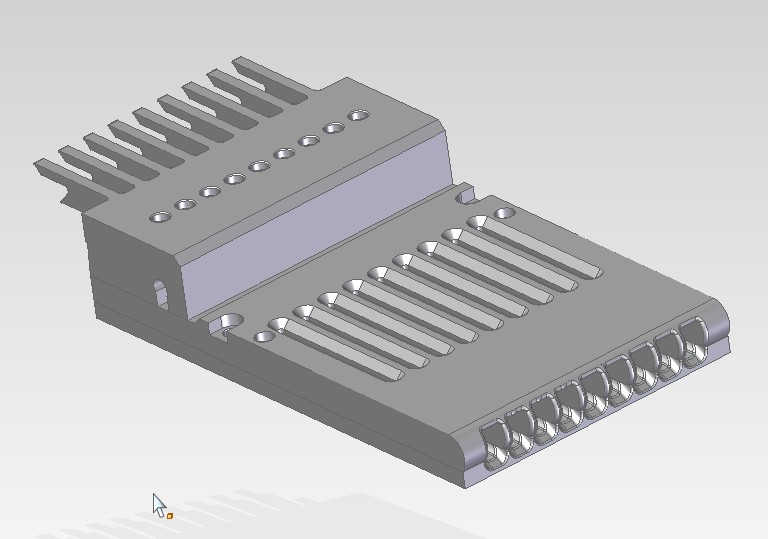
Once you have the parts created what is the problem to be solved for machining these is how to hold them for cutting. In past versions of SE it has been a multi-step rigamarole thing to get this done. In ST6 much to my delight this is no longer true. Now it is a simple thing to create an assembly and drag a part into place on a block and create a perfect workholding device for cutting. What I will be showing is the setup for one type of part and how to hold it in place while machining. Being able to do this for a family of parts quickly and easily is key to how much money you are going to make on short run items. I will have twelve sets of these to cut and more than likely will not have any again for a year. Please note that I will not be machining the jig block itself for the sake of time here. It is what happens elsewhere that is interesting. So follow me as I demonstrate how the combination of ST6 and Camworks makes more money with less hassle in my shop.

Later this month by the way CW4SE will have assemblies capabilities in it if you care to use it. With this method that I am going to demonstrate however you pull your xyz zero off of the corner of the block for the cut plan and when you clamp your part in you are good to go. Subsequent parts in this family of parts can be brought into the assembly and positioned with their common hole center patterns and each of them can be saved out as separate parts just like the first one was and cut plans derived for them using the common xyz zero. It is not necessary to have a separate assembly file you have to bring in for every single variation here. In reality it is not necessary to have an assembly file at all in your CAM plans to still be able to benefit from assemblies. Obviously the holes in the rectangular blank stock are the first step in a separate operation with a different clamp method working off of stock xyz zero. Two vice-grips and a strip of metal on another 6″ x 6″ plate will do for blasting the holes out.

Folks, bear with me on the occasional hiccup here. It is time out of a workday to do this and you would not believe how many times you have to go through these things before they are perfect. Try making a video yourself and see. I spent enough time on this one to get close and that is good enough. And yes I know after reviewing the video that I moved the block .09 and not .10 for the zero point but you understand the intent here and can duplicate the correct result on your own parts with the directions here.

Join me as I create the jig and part and then cut with SE ST6 and CW4SE

CAMWorks 4 Solid Edge SP1 for ST6 Released.

OK here is the latest from CW4SE. Today 8-23-13 I received the following announcement for CW4SE SP1

” We are excited to provide you with the release of SP1 for CAMWorks® for Solid Edge® 2013. With this release, you will be able to run CAMWorks for Solid Edge within Solid Edge ST6. In this service pack, we have focused on improving the user experience with regards to interaction with the solid model geometry. In addition, we have addressed a number display related issues that had been reported.”

I have not had a chance to look yet but I was also told that September will bring assemblies into CW4SE for tool path creation.Hopefully this is there but in any case you ST6 early adopters can now run CW4SE. Check with your VAR for download info if you are a current subscriber. If you are interested in a demo version http://www.plm.automation.siemens.com/en_us/products/velocity/solidedge/ will take you to a page that will get you going.

CAMWorks 4 Solid Edge Comments and Thoughts

In a bit of a holding pattern for now until September for posts on actual CW4SE parts I will be working on. However there is a bit of news and a bit of reflection and comments upon CW4SE.

As of right now there is no forum for CW4SE. The official Geometric forum has a section for SW users only and this should be changing soon and will include a section for SE users. Even though the basic program is the same it has been Geometrics decision that SE users should not have access to the SW users forum. Since both are closed forums I guess that you must have a seat of one or the other to access them. I have no idea what will be there and it is a shame that years of experience as cam users on the SW side of things will be roped off to SE users but with the politics that could result I guess I can understand why the two will be kept separate.

I don’t think SE at the official BBS site has any intention of having a forum either and the one time I mentioned a need for one it was met with a rather curt reply from a Siemens guy that this was Geometrics job and not Siemens. Sometimes I wonder about who talks to who and who plans these things as I would have thought that a forum would have been planned and who was responsible for what would have been picked and resources dedicated. Support for CW4SE is important and unless the VAR’s are slated to fill this area I am not sure how smooth the initial support for CW4SE will be. I think this gets back to the Dart Board idea I promulgated some time back where planning is chaotic and meetings are had to decide what to talk about in the next meeting and then another one to determine if the first two meetings were effective and on and on they go. People, time passes and this is a roll-out of a new product and an important addition to SE’s ecosphere. It is important to get this right and we are months after SEU2013 and this forum is still not established. But beyond the forums there is another category and it is who does your potential VAR have as a trained support guy? CW4SE is a new integration with SE but it is not a new program. I am hoping all the major VAR’s intend to have a veteran of CAMWorks for SW on staff to answer questions on the CAM side. The program is the program and if your VAR is intending to provide support based on freshly trained guys who have not themselves cut chips with this program it could be a problem. Make sure you ask your VAR of choice what he intends to do in this area. I have no idea what Siemens official policy is towards mandatory minimum support required of VAR’s to sell CW4SE and so it is left up to the buyer to be aware of this. Make sure your VAR can support you before you buy would be my suggestion.

There is a book out there, “The CAMWorks Handbook 2013” that is for the SW integration that looks interesting. Obviously the CAD side of it is for “Brand X” and includes nothing for direct editing 😉 but from what I have read and seen with the CW4SE manual given out with the program (I assume it will be the same one I was given during beta testing) it may be a decent alternative learning method for the bits and pieces of CAM needed to decide what features are needed to do differing CAM plans. Disregard the constant references to the class B modeler and you should be alright. If I order the book I will report on what I find.

There have been webinars from various VAR’s out there. I don’t know what all of them are doing but I do know that Saratech has a veteran CW user running theirs. Now is the time by the way to tell your VAR’s that you expect at least one guy in the organization that has actually cut chips with CW4SE to be there for support for CW4SE. Remember that the only time you have to get your wishes across to these guys is going in so push for all you can before signing with one.

On the program front as planned and announced some time ago September is rapidly approaching and working with assemblies will be an additional function to be released then. I don’t know what else is coming out and as I have reminded people if they want it talked about they have to release information. Hopefully this will happen soon.

In any case I expect to have my seat soon and then it will be on to some real parts. One thing I will be interested in is how CW4SE will work for a small shop like mine where automation and the Tech Data Base setup is not so beneficial. I want to just recognize features I want to pick and go from there and also avoid populating the TDB with my own tools so I can just pick them as I go. For instance, the TDB has a lot of tools in it but not one three flute endmill. This is the preferred endmill for cutting aluminum and as it is recommended by Volumill for just this I am surprised that Geometric did not have any of these in the tools for milling section. The TDB is an area where there could be improvements made and from what I gather in talking to some SW users of CAMWorks they agree. Now the TDB is a powerful tool for automation and I think is particularly beneficial for larger shops with a system set up for tool and machine management but this is a little complicated for those who just want to pick a tool, or input the cutter data individually for each tool path and go from there. In My old program for instance I can scroll through a list of tools and just pick it and edit it right there if I need to and save the new tool to the library. Far easier than this TDB thing is. Of course I am quite familiar with the old program and not CW4SE yet so my opinions here could change as get used to using it. It would be nice if Geometric would allow for the importing of tool libraries into their TDB from manufacturers but as of right now you have a tedious excel like chart to fiddle with and you have to add these things in one by one. It would also be nice to be able to do away with having a tool library required to create a cam plan and just pick and assign tools to the cam plan and have it be remembered as tool whatever in spot whatever and then just save it. Automation is really cool for those shops that want or need it but some greater consideration for those shops that don’t want this would be nice.

One of the things I really liked during beta testing was the constant step-over tool path. I was over at the HSMWorks forum the other day and they were complaining about how tough it is to get a constant scallop heighth there. Kind of like I use to have to do with ZW3D you have to create different tool path stepovers at differing places in the part to get a really consistent finish on the part. So you end up with four or more toolpaths to do almost as good as the single toolpath in CW4SE will get you quickly and easily. Just a word here by the way. I find some of the CW4SE GUI to be clunky and some of the nomenclature to be worded in such a fashion that it is hard to remember what it means. So welcome to the real world where no program is perfect and they all expect you to learn according to the idiosyncracies of each different set of programmers. Many of which I believe don’t really grasp what actual users want because they have never cut chips and don’t understand our work flows and the reason for how we choose our work flows. The programmer liked it and it made sense to him so it must be right, right? But don’t mistake my grumbling about these things to be really serious objections to the program as a whole. I know enough about it to state that the improvements to my bottom line for cutting efficiencies will be large over time compared to programs I have used in the past. And of course the fact we now have true integration between CAD and CAM.

The insanity of allowing programmers who have not cut chips to be the final determiners of how a program is set up to work for users is a topic for another day and I am of the opinion far greater heed to user wishes should be made. I am afraid that with Geometric, like most other software authoring companies, once the program gets out the door the silliness is programmed in and it will take an act of God to get programmers to understand that just because what they did can be made to work does not make it the right way or the best way to work and to then fix it. Kind of like how dumb is it that SE still after all these years does not yield accurate manufacturing data for threads but someone in Programville decided it was OK so every user subsequently has to struggle with this. I bet this comes back to haunt them as how can they recognize accurate manufacturing data on holes imported from say SW if they can’t do it for their own program? You use software to design or cut I am sure you have pet peeves based on programmers choices too and this problem is everywhere.